

Looking for your phone number, email, or notification preferences? Those moved to your personal Profile page. See Profile and notification preferences.
Opening Workspace Settings
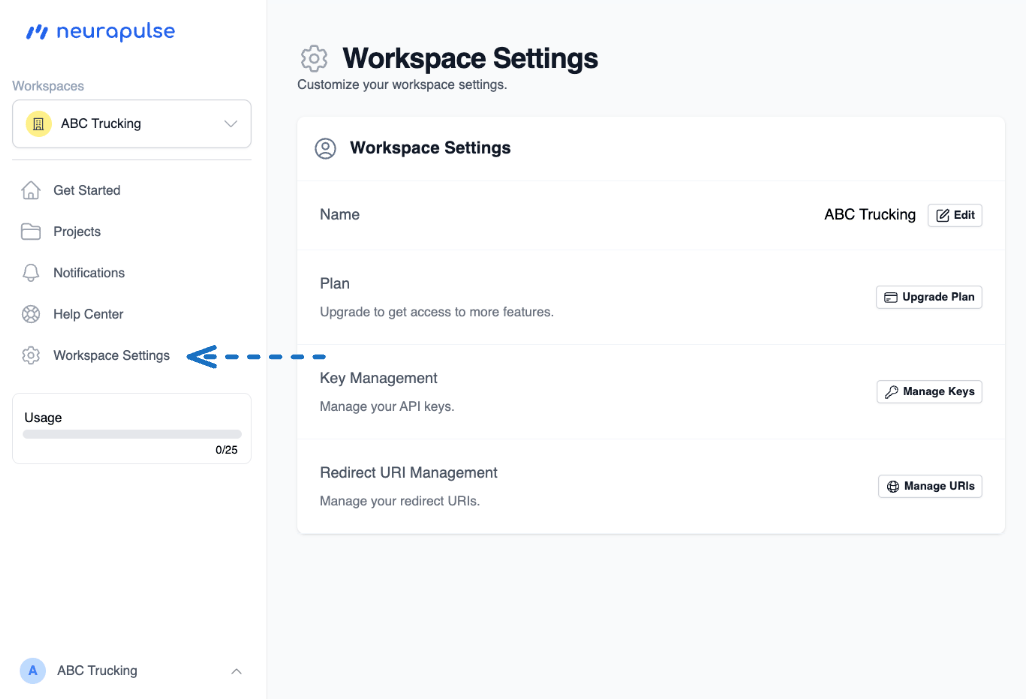
- Click Workspace Settings in the sidebar.
- The settings card lists each section with an action button on the right.
What you can change
Renaming a workspace
1
Open Workspace Settings
Click Workspace Settings in the sidebar.
2
Edit the name
Click Edit next to the workspace name. Enter the new name and save.