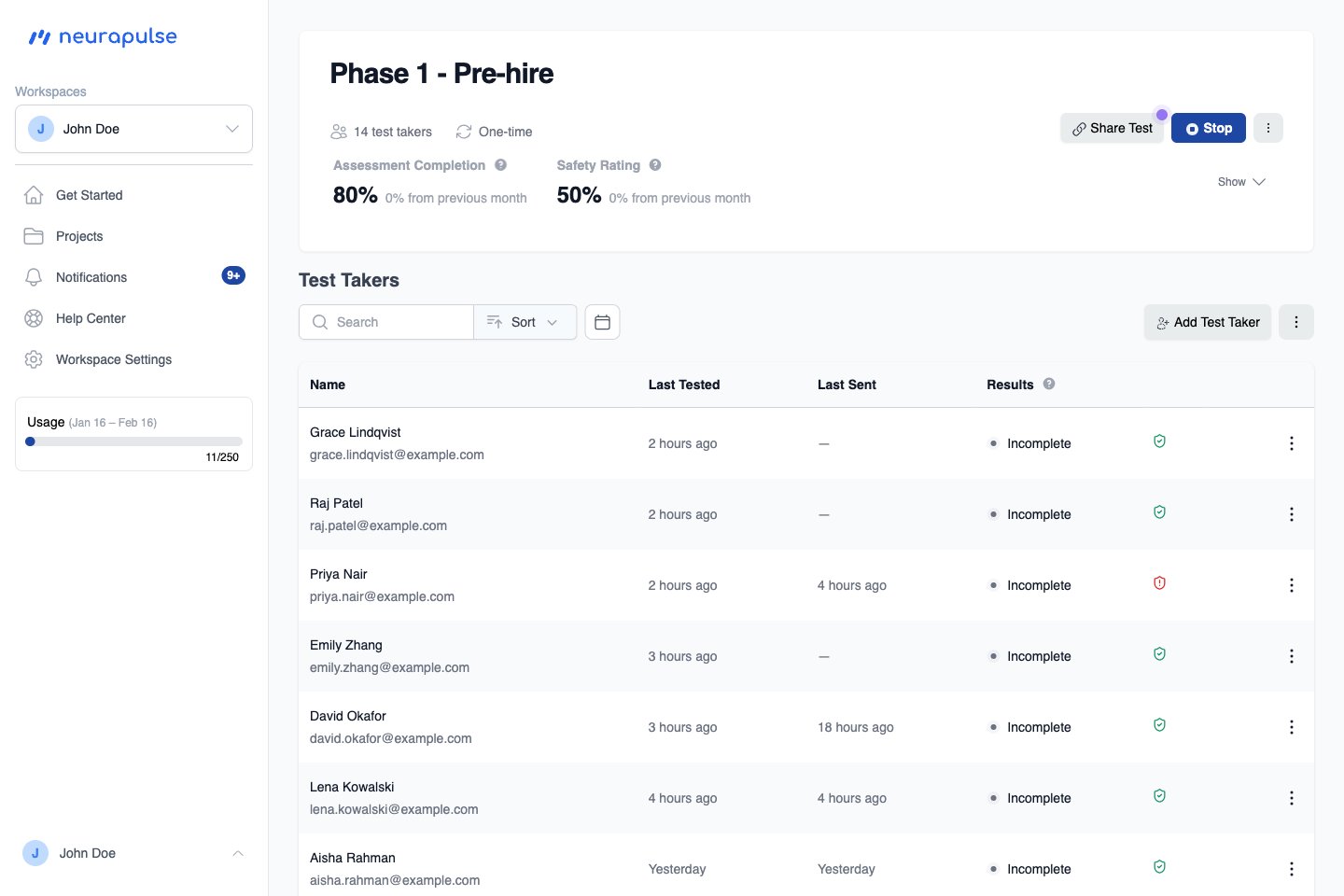
Main Navigation
The sidebar groups everything you need to reach day-to-day:- Get Started: Your dashboard - top priorities, safety metrics, and the test taker table
- Projects: Create and manage assessment projects
- Notifications: The full notifications inbox. A blue unread badge appears next to this link when you have unread items
- Help Center: Access documentation and support
- Workspace Settings: Workspace name, plan, API keys, and redirect URIs
- Profile - your personal info, phone verification, and notification preferences. See Your Profile.
- Sign out - ends your session.
Getting to notifications
- On desktop, open the Notifications link in the sidebar. The blue unread badge next to the link tells you when new items have arrived. The link takes you to the full
/notificationsinbox. - On mobile, the sidebar collapses into a top bar. A bell icon in that top bar opens a full-height drawer from the right with your recent items. A red badge on the bell shows the unread count (capped at 9+). To see the full history, tap View all → at the bottom of the drawer (or open the hamburger menu and use the Notifications link).
Dashboard Features
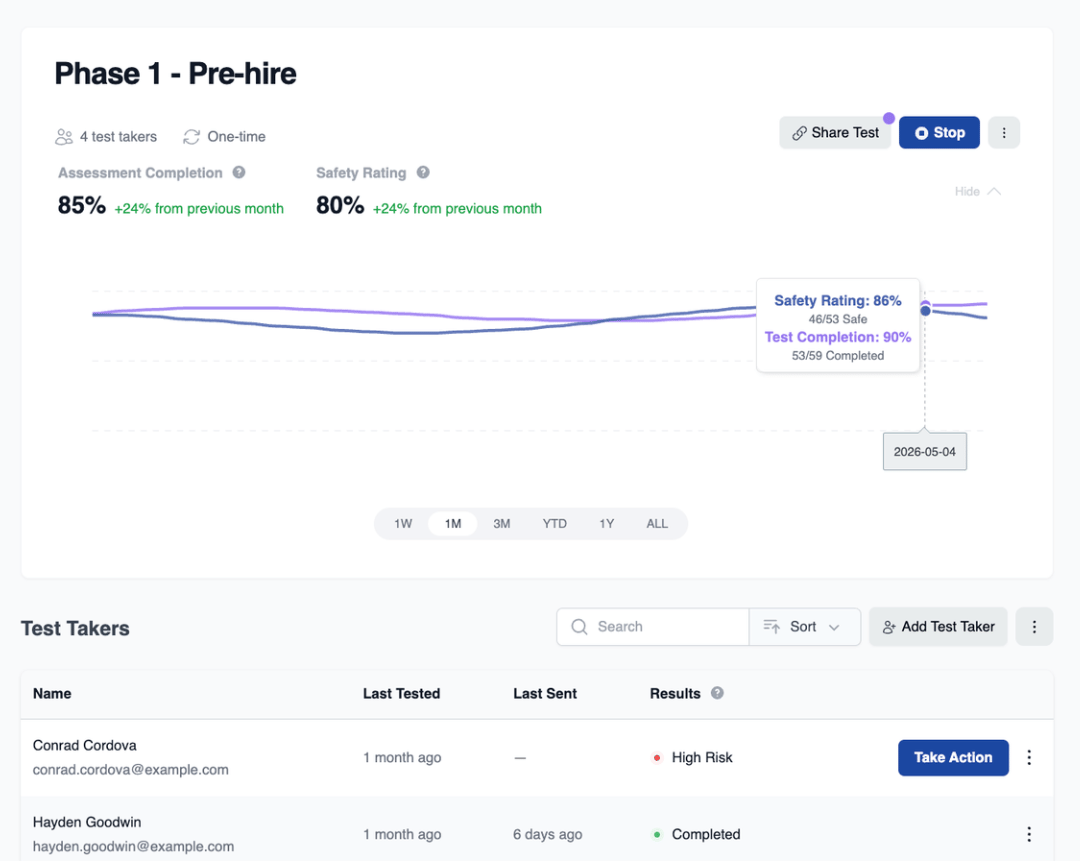
- View Top Priorities: Review your top priorities, like test takers that are high risk
- Safety Metrics: Monitor overall cognitive safety trends
Key Metrics
- Safety Rating
- Test Completion Rate
Test Taker Table
- See test taker results sorted by priority
- Watch updates in realtime as test takers complete their test.
- The Last Tested and Last Sent columns show relative dates (for example, “3 days ago”) so you can quickly see who needs attention. Tap or hover the date to see the exact timestamp. An em dash (-) means no date is available; tap or hover it for an explanation.
- The Identity Status column shows each test taker’s ID verification status as a shield icon: Verified, Verification pending, Not verified, Verification off, or Compromised. Hover the icon to read the label.